
Notch changelog
Changelog
The latest Notch releases and improvements.
By continuing, you agree to our T&C and Privacy Policy.
Notch.so Update: Introducing Variables (Beta) 🎉
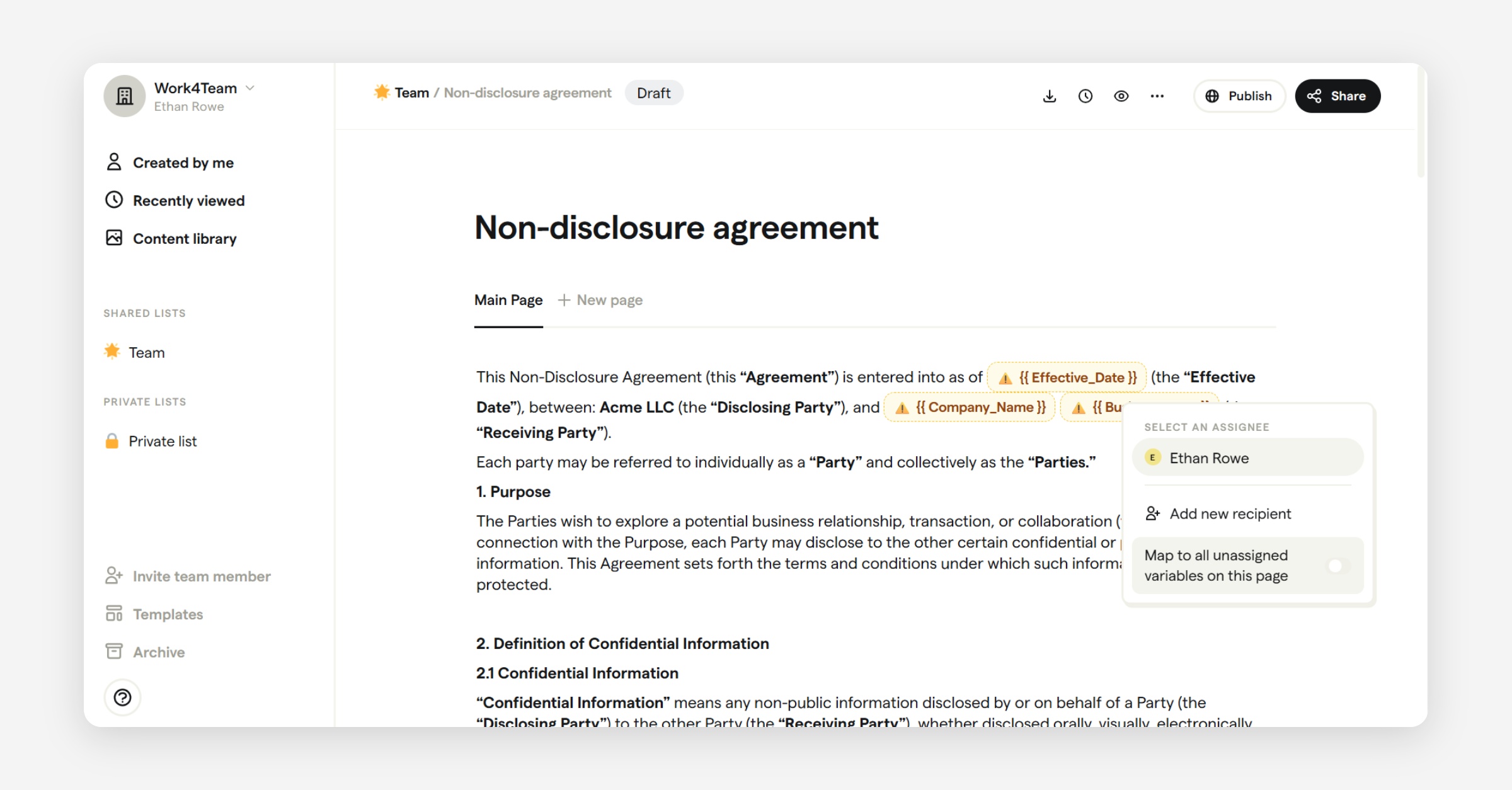
Since our last update in November 2025 — where we shared that we were stabilizing the platform and planning future features — we’ve been heads-down building the foundation for what’s next.
Today, we’re excited to share the first major feature — Variables — now available in Beta.
We highly recommend watching this quick video overview of the Variables feature: YouTube - Close Deals Faster with Dynamic Contract Templates in Notch
🔍 What You Told Us
We heard consistent feedback from you:
• Templates are useful, but too static
• Editing contracts manually every time is repetitive
• Dynamic content, structured data and cleaner automation are essential
This release is a direct response to your most-requested improvement: the ability to build flexible templates with placeholders that become structured form fields in documents.
✨ What Are Variables?
Variables allow you to build smarter Notch templates by adding data placeholders that become interactive fields when you generate a document. Instead of editing text over and over — like client names, expiration dates, or deal values — you define variables once inside a template and reuse them every time you generate new documents.
Variables bring flexibility, consistency, and structure to your contracts, proposals, and client documents.
🛠 How Variables Work
Inside any template or document:
Place your cursor where dynamic content should go.
Type “/” to open the command menu.
Select Variables.
Name your variable (use underscores — no spaces). Example: client_name
Press Enter — a configuration pane opens.
Add a user-friendly display name (e.g., Client Name) and choose the type.
📊 Supported Variable Types
You can define structured variables using the following types:
Text Number Date Email Phone Number Dropdown Each type enforces data consistency and reduces manual errors. More variable types, such as dynamic tables, calculated fields etc. will be added in future.
🔽 Powerful Dropdown Variables
One of the most valuable variable types is Dropdown. Instead of letting users enter free-text values (which leads to inconsistency and mistakes), Dropdown variables let you define a set of allowed choices.
For example:
Business Type
• LLC
• Corporation
• Partnership Or a simple status field like:
Auto Renewal
• Yes
• No
Dropdown variables give you control over structured data — reducing ambiguity and improving downstream workflows.
📄 From Template to Generated Document
After you build a template with variables:
• Click Generate Document
• The variables automatically become fields in the document
• You can assign each field to specific users
For example:
• A Sales rep fills in deal values
• A Customer fills in their contact details
• Finance selects the appropriate payment term
This ensures clean data input and faster completion — no back-and-forth or repeated edits.
🧪 Variables Is in Beta
We want to be transparent — Variables is currently in Beta. It’s usable and available now, but it’s also a work in progress. We’ll be expanding functionality, improving the experience, and iterating based on your feedback.
👉 Here’s how you can help shape what comes next:
• Send feedback: [email protected]
• Submit feature ideas: https://roadmap.notch.so
Your voice matters — what you find useful or confusing helps us prioritize improvements.
🛣 What’s Next
This release is a milestone in our renewed development journey. We’re committed to regular updates, transparent communication, and building the features you’ve been asking for.
Thank you for your patience, trust, and continued support. Notch is evolving — and this is just the beginning. 🚀
Notch.so Update: Continuing to Build and Improve 🚀

We’re excited to share some updates — we are continuing to build and improve Notch.so with a new engineering team!
After a period of limited updates and communication, we’ve stepped in to rebuild, revive, and grow the platform. We know many of you rely on Notch for your daily workflows, and we completely understand the frustration that came from the lack of progress recently.
What’s Happening Now
Our immediate focus is to stabilize the platform, review outstanding issues, and rebuild the development pipeline. This process will take a few weeks as we get fully up to speed with the existing codebase, systems, and customer feedback.
During this transition period, we’re focusing on:
Ensuring the platform is stable and reliable
Addressing critical bugs and support tickets
Planning new features and improvements with your feedback in mind
You may not see many visible updates in the next few weeks — that’s because the team is still ramping up on the codebase and infrastructure. Once we’ve completed this phase, we’ll begin active development, rolling out regular improvements and new features.
What You Can Expect
Once things are sorted out, we’ll start rolling out regular updates, new features, and better communication. Our goal is to make Notch.so faster, smarter, and more valuable for every user.
We’ll also be sharing more frequent product updates so you can see our progress and upcoming roadmap. Transparency and customer connection will be a core part of how we move forward.
In the meantime, if you run into any issues or just want to share your thoughts, please reach out to us at [email protected] — we’d love to hear from you.
A Special Note to Our AppSumo Users 💛
To all our amazing AppSumo customers — we see you, we love you, and we’re grateful for your early support. You’re a big part of the Notch community, and we are committed to continuing to support you as we ramp up development. We can’t wait to bring you the updates and improvements in future.
A Note of Gratitude
We’d also like to extend a heartfelt thank you to the previous team members, including Viktor Kessler, Tim Dethlefsen, Devin Lemche, Diana Drescher, and Alex Sandau, for their efforts in building the foundation of Notch — we’re excited to continue their vision and take it to the next level.
This is just the beginning of a new chapter for Notch.so — and we couldn’t be more excited. Thank you for your patience, trust, and continued support as we continue our journey with Notch.
To learn more, see the blog: Notch Update - Continuing to Build and Improve
– The Notch.so Team
In the making: We're building the next generation of Notch! 🚀
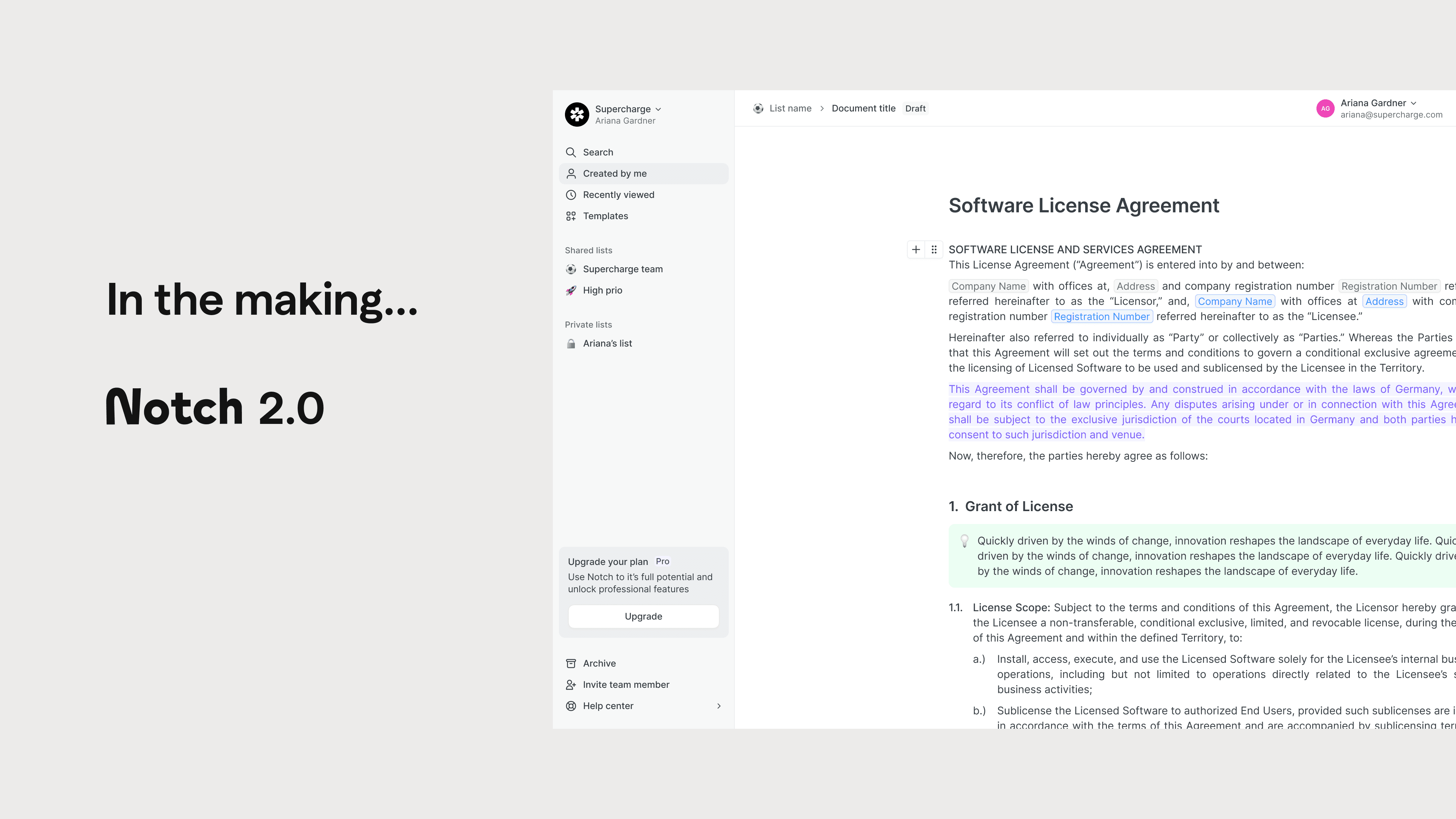
We are hard at work on a completely new version of Notch, set to launch next year! 🎉
Here’s what to expect:
More stability and a modern foundation: with a reimagined software architecture.
A brand-new editor: Built for maximum flexibility and user-friendliness.
Fields & Variables: Powerful new features for automating and personalizing your documents.
Many new integrations: Including Zapier, more CRM systems, and more.
AI-powered features: To assist with document creation, automation, and boosting efficiency.
💡 As we focus on these major updates behind the scenes, the changelog might look a bit quieter than usual – but trust us, big things are coming! We can’t wait to show you the new version.
Thank you for your support!
The Notch Team
Improvements & Improvements
Bug fixes
General setting tab is not aligned
Make polish currency legally presentable
Adding new column in offer looks off
Spelling mistake in command menu
Custom domain setup not working
custom domain not working
Hide upgrade step for appsumo registers
Customer Request/Bug
Contact card links do not work + tooltips are broken
Company website is not been saved in general settings
More improvements & fixes
Bring back the signature certificate
All about improvements
Features
New Icon for activity stream
Add "Blank Space" option to template manager in onboarding flow
Add space status to space bar
Dev Task
Make account emails NOT case sensitive
Improvements
Removing Hidden Content Element
+ Icon in navbar animation lag
Change the tool tip of the "Publish" popup
Untitled space are shown in the breadcrumb
Bug fixes
Make polish currency legally presentable
Recently viewed and created by me have an unwanted icon
Offer eleemtns are still adjustable after signing
You can remove your Admin rights, if you are the last admin
Lean space creation flow
Improvements
General setting update
After upgrading in registration funnel user gets redirected to Team Settings
Bug fixes
toggles are off
"Recently viewed" & "Created by me" recreates deleted spaces
Personal Links are not shown anymore
Features
Lean, leaner, space creation flow
Update Navbar Design & usability
Improvements galore
Features
Smart Counting for numbered lists
Improvements
After upgrading in registration funnel user gets redirected to Team Settings
Add created at user trait
Bug fixes
Edit recipient is not automatically filling information
Registration Flow -> Use Case -> Checklist bug
paused subscribition users are tracked as paid
Email Notification Triggered Upon Viewing Completed Task Without Changes
Improve numbering behavior in text editor
Dev Task
Do not send update user api calls if the user is anonymous
Update sharing Options
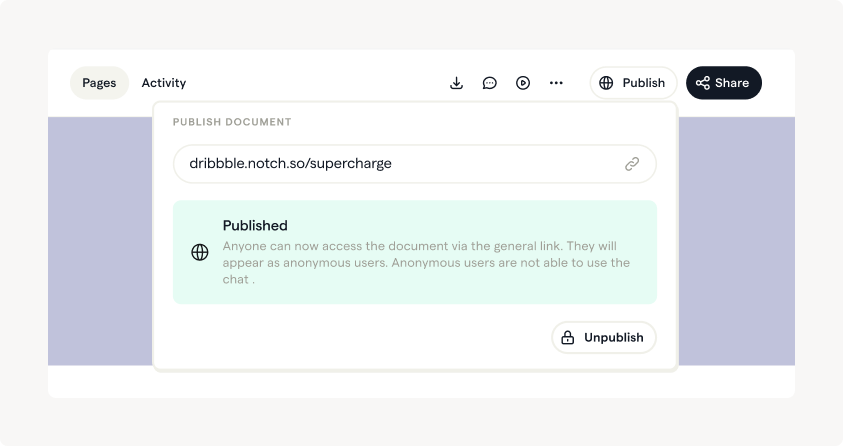
A more intuitive way to either share the space with a general link, via "publish" and invite recipients via email or personal link.
Features
Refined Sharing Settings